
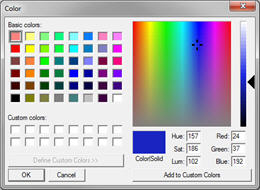
 Have you been stuck in the situation of trying to determine what the exact RGB or PMS color of an image is? Website designers and graphic designers know the importance of color when it comes to branded images such as logos. It is important to stay consistent. Color Cop is a program that runs from your desktop or laptop and can identify any on screen color.
The tool couldn’t be easier to use. You simply grab the eye dropper icon and drag it across the screen to the exact pixel of color that you are trying to identify. Color Cop then displays the hexadecimal RGB color. You can then use the color chart interface to change the color within the Adobe CS like color wheel.
The only downfall to this tool is that it does not display the PMS color. To get the PMS color you will have to take the RGB color and use a program like Photoshop to make the conversion.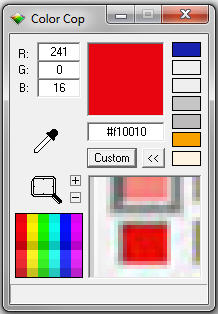
If you are a designer you will be find yourself using this tool every day. It is recommended that you pin this program to your quick-launch taskbar for easy access. Marketers and small business owners will also find the tool helpful for the occasions when they need to go to print with branded material or match the color quality of one image to another.
Color Cop can be downloaded for free from http://colorcop.net. The site does ask that you make a donation if you choose to download the program. For the amount of use you will get out of it, a small donation is a great idea!